
Browser-first
A VS Code-style browser workspace for real remote server work
ServerDesk is designed for teams who want a familiar editing experience in the browser without losing the practical tools needed for server maintenance.
Why teams land here
That means clear panels, editor tabs, file browsing, terminal access, and support-aware workflows that feel ready for actual production work. The browser is treated as the primary workspace for getting remote changes shipped safely.
Built for
- Distributed teams
- Developers switching devices
- Agencies working from anywhere
AI assistant in this workflow
- Explain the current open file, a selected function, or a class and point out risky lines before you save
- Suggest commands and next steps when you need to diagnose remotely or understand legacy code quickly
- Support WordPress, PHP, JS, CSS, HTML, Apache, and Nginx maintenance workflows
Concrete workflow
What this looks like in the first session
Each workflow page now maps to the actual sequence a customer follows after signup rather than broad product claims.
Step 1
Sign in from any modern browser and open the same server workspace without installing a local IDE.
Step 2
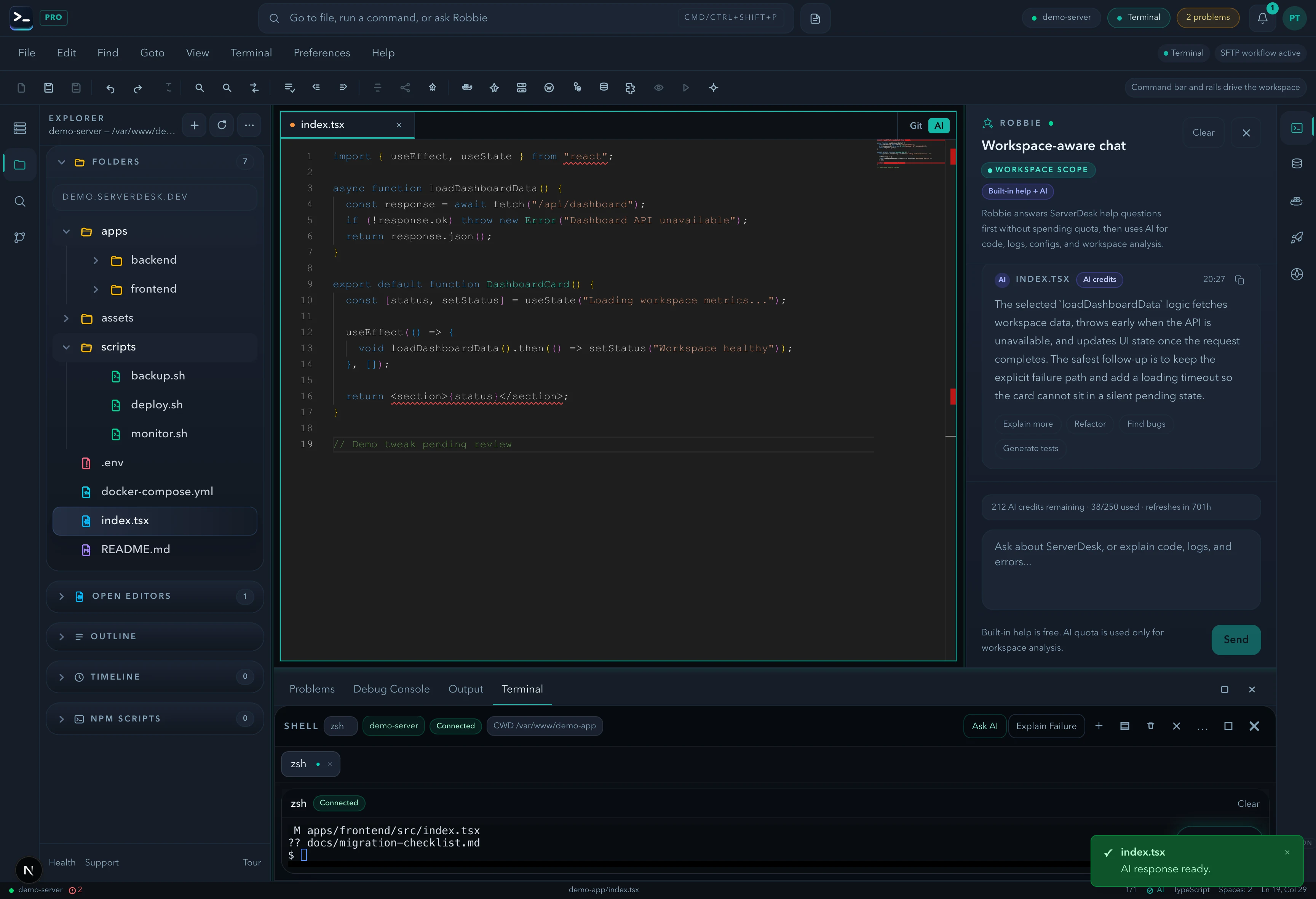
Switch between Explorer, editor tabs, bottom terminal, and Robbie without losing the current file context.
Step 3
Use the mobile-friendly dashboard when you need to review files, logs, or billing away from your desk.
See it in action
The same workspace on desktop, tablet, or mobile
Switch devices without losing your session. Explorer, editor tabs, terminal, and Robbie all adapt to the screen you're on — no local install ever required.
Related pages
Explore the browser-first server workspace from pricing, support, workflow, and team angles.