Free
Free
A practical starting point for a single remote server workspace. No credit card required.
1 server connection
- File explorer and editor tabs
- Browser terminal access
- Robbie built-in help included

Everything in one workspace
ServerDesk combines a VS Code-style code editor, PTY terminal, SFTP file management, AI assistant, Git, Docker, database explorer, server monitoring, and deployments — all in a single browser tab, no installation required.
Capabilities
Full VS Code-style editor with syntax highlighting, tabs, split panels, and keyboard shortcuts for productive remote editing.
Real persistent shell sessions over SSH with split views, terminal profiles, and full colour support.
Browse remote directories, upload, download, rename, and delete files with a familiar file-tree interface.
Workspace-aware AI for explaining logs, code, configs, generating commands, reviewing changes, and planning rollbacks.
Stage, commit, push, pull, diff, and manage branches without leaving the workspace.
View containers, inspect logs, start, stop, and restart services — all from the browser.
Connect to MySQL, MariaDB, and PostgreSQL. Browse tables, run SQL queries, and inspect results.
Live CPU, memory, disk, uptime, and process metrics so you can assess server health at a glance.
Save deploy commands, trigger runs, and watch live SSH output logs for every deployment.
Install, enable, and configure workspace extensions. Each user's preferences persist across sessions.
Keyboard-driven workspace navigation, fuzzy file search, and fast access to all actions.
Workspace event log showing terminal activity, Git operations, AI actions, and system events.
Concrete workflow
Step 1
Connect the server, open the affected file, and keep the connection name visible before touching production.
Step 2
Use Explorer, terminal, Docker, database, or Git panels together so the code and runtime state stay in the same session.
Step 3
Bring Robbie in when you need code, config, or log analysis, then save or deploy with a clearer rollback plan.
See it in action
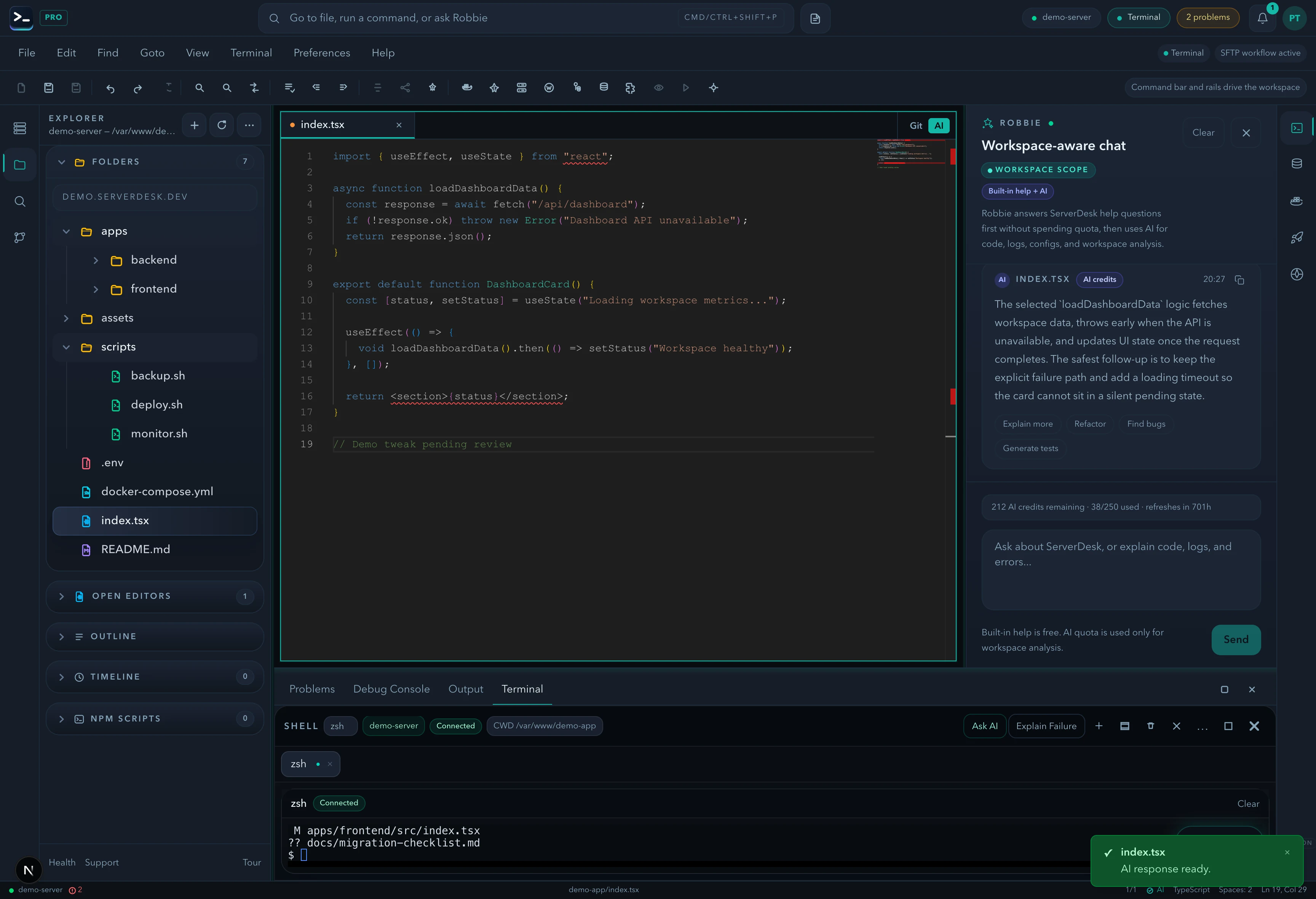
Explorer, Monaco editor, SSH terminal, Docker, database browser, and Robbie AI — all connected to your real server in a single browser tab.
Pricing
ServerDesk pricing is designed around the workflow teams actually buy: how many servers they need to manage, how many people are involved, and when Robbie analysis, monthly AI credits, and safer review workflows become valuable.
Free
A practical starting point for a single remote server workspace. No credit card required.
1 server connection
$9/month
For freelancers and maintainers handling a few active server environments.
3 server connections
$19/month
For developers and operators who need deeper AI-assisted server work, deployments, and source control.
10 server connections
$39/month
For power users managing more environments with a higher monthly AI allowance and priority support.
Unlimited server connections
$79/month
For agencies managing many client environments with higher monthly AI usage and account oversight.
Unlimited server connections
Explore the rest of the ServerDesk workspace.
FAQ
It is both. ServerDesk gives you Monaco editing, terminal access, Git, Docker, database browsing, and server metrics in one browser workspace so you can edit code and manage the real server it runs on.
Not for every workflow. It is strongest when you need to inspect, edit, review, and operate directly on real remote servers from anywhere without depending on a local machine setup.
Agencies, WordPress and PHP maintainers, freelancers, and operators supporting live Linux servers tend to benefit most because they need files, terminal, AI, Git, databases, Docker, and deployments close together.