Free
Free
A practical starting point for a single remote server workspace. No credit card required.
1 server connection
- File explorer and editor tabs
- Browser terminal access
- Robbie built-in help included

Database Explorer
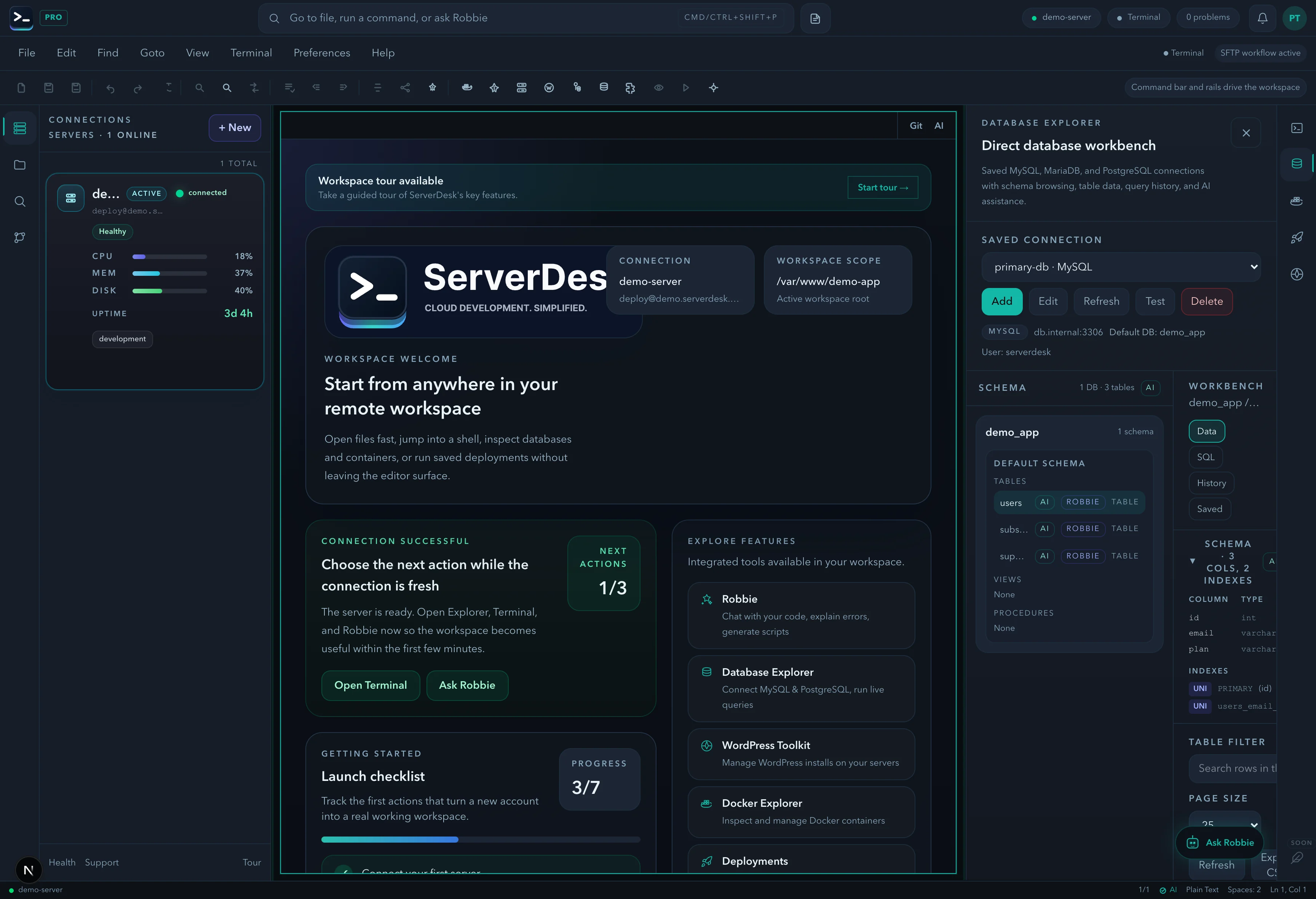
The ServerDesk Database Explorer gives you a direct connection to your MySQL, MariaDB, or PostgreSQL database — browse schemas, run queries, and inspect rows without a separate database client.
Connected to: wordpress_db @ 127.0.0.1:3306
mysql> SELECT option_name, option_value FROM wp_options
WHERE option_name = 'siteurl';
+-------------+----------------------------+
| option_name | option_value |
+-------------+----------------------------+
| siteurl | https://example.com |
Capabilities
Connect to MySQL, MariaDB, and PostgreSQL databases on any server in your workspace.
Navigate databases, tables, and columns in a familiar tree view — see structure without writing SHOW TABLES.
Write and run SQL queries with syntax highlighting, query history, and results in a clean table view.
Click into any table to browse rows, inspect data types, and understand how the schema is populated.
Ask the AI to generate or explain a query — useful for unfamiliar legacy schemas or complex joins.
Stop context-switching to TablePlus, Sequel Pro, or DBeaver. Your database is one click away in the workspace.
Use cases
Concrete workflow
Step 1
Create or select the saved database connection and test it before browsing anything live.
Step 2
Open the schema browser to confirm the right database, tables, and columns for the issue you are working on.
Step 3
Run a focused query, inspect the result set, and ask Robbie to explain the SQL or the schema if needed.
See it in action
Browse tables, run SQL, inspect results, and ask Robbie to explain a query or schema — no separate database client, no context switching.
Pricing
ServerDesk pricing is designed around the workflow teams actually buy: how many servers they need to manage, how many people are involved, and when Robbie analysis, monthly AI credits, and safer review workflows become valuable.
Free
A practical starting point for a single remote server workspace. No credit card required.
1 server connection
$9/month
For freelancers and maintainers handling a few active server environments.
3 server connections
$19/month
For developers and operators who need deeper AI-assisted server work, deployments, and source control.
10 server connections
$39/month
For power users managing more environments with a higher monthly AI allowance and priority support.
Unlimited server connections
$79/month
For agencies managing many client environments with higher monthly AI usage and account oversight.
Unlimited server connections
Explore the rest of the ServerDesk workspace.