
Support Hub
Help, guidance, and support for serious remote server work
Search live help content, browse operational guides, open documentation, read billing and AI usage FAQs, review security practices, and contact the ServerDesk team with the context needed to resolve real customer issues quickly.
How support works
Real support — not just a contact form
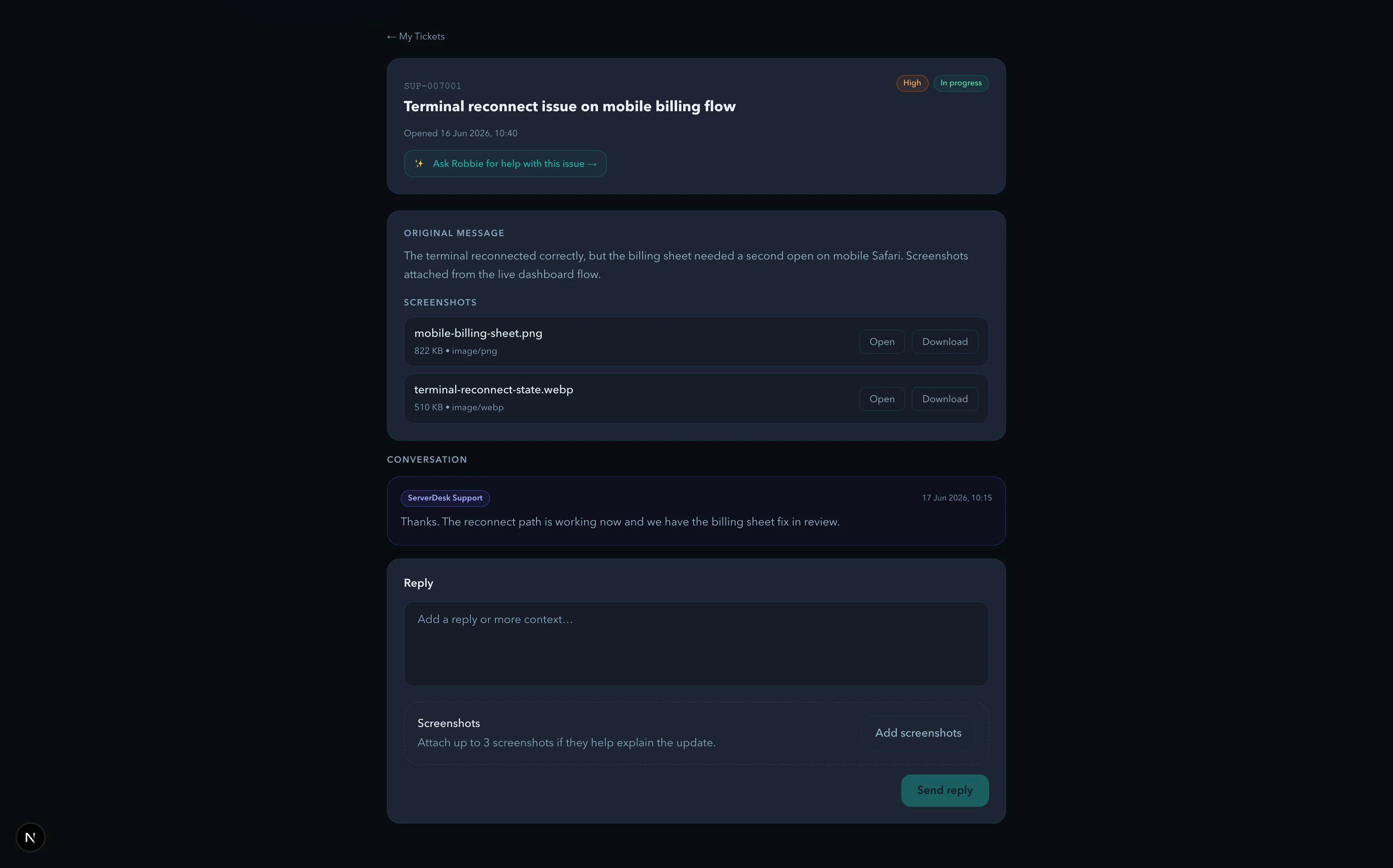
Open a ticket, attach a screenshot, and track progress in the same dashboard you use every day. Separate routes for billing, sales, and security so nothing gets lost.
Support trust
Trust signals buyers can verify
Response times
Billing, sales, and general support target a reply within 1 business day. Security reports are acknowledged within 24 hours.
Attachments
Bug reports and support tickets accept screenshots so the team can see the broken state instead of guessing from text alone.
Clear routing
Support, billing, sales, privacy, and security all publish separate routes so customers know where to go before a problem turns urgent.
Visible product progress
Changelog, roadmap, and migration guidance are all public — you can see exactly what shipped, what's coming, and how actively the product is developed.
Support categories
Move into the main support areas quickly whether you are getting started or troubleshooting a live workflow.
Get Started
First login, first connection, and core workspace orientation.
Connections, SSH, and SFTP
Server access, key management, connection testing, and file transfer guidance.
Explorer and File Editing
Browsing folders, opening files, image previews, saving safely, and downloads.
Terminal and Logs
Remote shell access, command safety, and log-driven troubleshooting.
Docker and Databases
Working with containers, logs, schemas, queries, and connection errors.
Git, Deployments, and Jira
Source control, deployment runs, ticket prep, and review workflows.
Robbie AI
Built-in help, AI credits, context rules, and best practices for AI analysis.
Studio
Browser project templates, preview, sharing, forking, and recovery behaviour.
Billing and Plans
Pricing, renewals, invoices, AI allowances, and account billing controls.
Account and Security
Verification, password resets, account settings, privacy, and safe operations.
Codeanywhere Migration
Moving projects, reconnecting servers, and rebuilding browser-based workflows.
Support Requests
Bug reports, feature requests, incident reporting, and contact routes.
Popular articles
ServerDesk Studio basics
Studio is the browser project workspace inside ServerDesk. Use it for prototypes, landing pages, component drafts, markdown notes, and review links before deployment exists.
Get StartedGetting started with ServerDesk
Go from first sign-in to a working explorer, editor, and terminal session in a few deliberate steps.
Connections, SSH, and SFTPConnecting a server with SSH or SFTP
Enter the same connection details you trust in another SSH client, test them, and save the connection for Explorer and Terminal.
Connections, SSH, and SFTPUsing SSH keys with ServerDesk
Use the correct private key, ensure the matching public key exists on the server, and validate key permissions when authentication fails.
Explorer and File EditingBrowsing remote files in Explorer
Start at the correct root path, expand folders deliberately, and keep the active server visible while you work.
Explorer and File EditingEditing and saving files safely
Keep changes small, review context before saving, and treat live file edits as operational work rather than casual note-taking.
Quick links
System status
The public status page covers website availability, workspace access, and incident communication for the core product surfaces customers rely on every day.
Open status pageContact and support options
Contact the team
Reach support, billing, sales, privacy, and security contacts with clear response expectations.
Report a bug
Share reproducible issues with severity, steps, expected result, actual result, and environment details.
Request a feature
Send workflow-led improvements for connections, file editing, terminal use, AI guidance, or support operations.
What’s new
Follow product milestones across the browser IDE, SFTP and SSH workflows, upload and download safety, bottom panel, support centre, and practical AI assistant positioning.
ServerDesk Studio basics
Studio is the browser project workspace inside ServerDesk. Use it for prototypes, landing pages, component drafts, markdown notes, and review links before deployment exists.
Getting started with ServerDesk
Go from first sign-in to a working explorer, editor, and terminal session in a few deliberate steps.
Connecting a server with SSH or SFTP
Enter the same connection details you trust in another SSH client, test them, and save the connection for Explorer and Terminal.