Free
Free
A practical starting point for a single remote server workspace. No credit card required.
1 server connection
- File explorer and editor tabs
- Browser terminal access
- Robbie built-in help included

Deployments
The Deployments panel lets you store the shell commands that make up your deploy process, run them on demand, and watch the live SSH output — without copy-pasting commands into a terminal or remembering what deploy step comes next.
› Running deployment: Production Deploy
$ cd /var/www/html && git pull origin main
Already up to date.
$ php artisan migrate --force
Migrating: 2026_01_01_create_sessions_table
Migrated: 2026_01_01_create_sessions_table (0.12s)
$ php artisan config:cache && php artisan route:cache
Configuration cached successfully.
✓ Deployment completed in 8.4s
Capabilities
Store git pull, composer install, artisan migrate, npm build, or any deploy script as a named deployment you can run repeatedly.
Watch the deployment script run in real time with streamed SSH output — see exactly what succeeded and where errors occur.
Review past deployment runs, their output logs, and whether they succeeded or failed.
Start a deployment with a single click — no copy-paste, no terminal, no forgetting which command to run.
Different environments, different commands. Save a staging deploy and a production deploy as separate named configurations.
Before triggering a deployment, ask the AI to outline a rollback plan so your team is prepared if something breaks.
Use cases
Concrete workflow
Step 1
Run a git pull + composer install + cache clear deployment on a Laravel app
Step 2
Deploy a WordPress theme update with a defined, repeatable command sequence
Step 3
Keep a history of past deploys and their output to understand what changed
See it in action
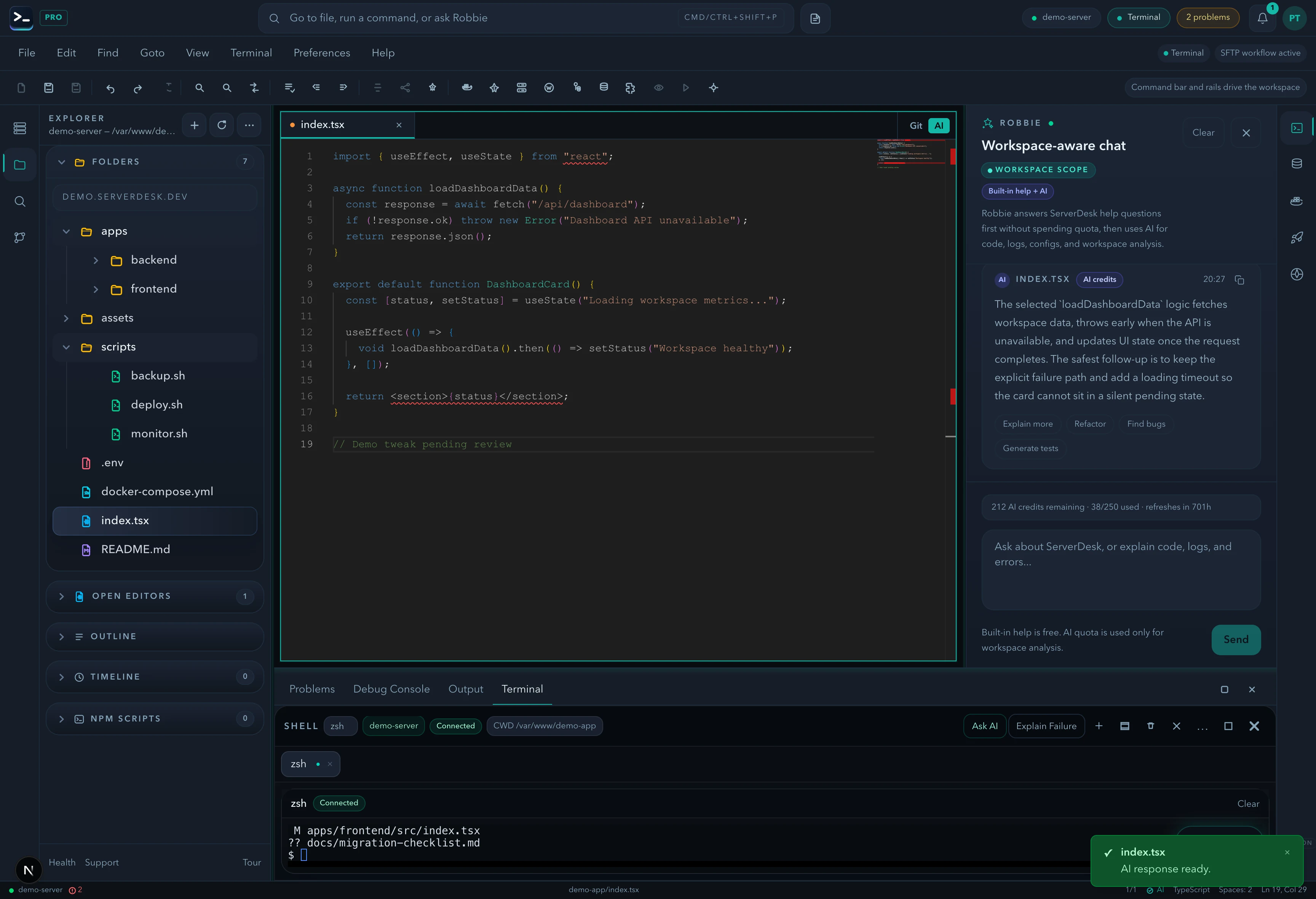
A product-view preview that mirrors the feature workflow described on this page and gives buyers a concrete sense of the UI.
Pricing
ServerDesk pricing is designed around the workflow teams actually buy: how many servers they need to manage, how many people are involved, and when Robbie analysis, monthly AI credits, and safer review workflows become valuable.
Free
A practical starting point for a single remote server workspace. No credit card required.
1 server connection
$9/month
For freelancers and maintainers handling a few active server environments.
3 server connections
$19/month
For developers and operators who need deeper AI-assisted server work, deployments, and source control.
10 server connections
$39/month
For power users managing more environments with a higher monthly AI allowance and priority support.
Unlimited server connections
$79/month
For agencies managing many client environments with higher monthly AI usage and account oversight.
Unlimited server connections
Explore the rest of the ServerDesk workspace.