Free
Free
A practical starting point for a single remote server workspace. No credit card required.
1 server connection
- File explorer and editor tabs
- Browser terminal access
- Robbie built-in help included

Extensions Marketplace
The ServerDesk Extensions Marketplace lets every team member customise their workspace — install the panels they need, disable the ones they do not, and have those preferences persist across sessions.
Capabilities
Add optional workspace tools from the marketplace and remove them when they are no longer needed.
Keep an extension installed but toggle it off when it is not relevant to a current project.
Each team member's extension state is saved individually — one person's setup does not affect another's.
Browse extensions by Core, Developer Tools, Infrastructure, Database, AI, and Toolkit categories.
Core workspace tools like the file explorer, terminal, and Git are available to everyone by default.
WordPress Toolkit, PHP Toolkit, and Node.js Toolkit extensions provide stack-specific workflows that can be installed as needed.
Concrete workflow
Step 1
A WordPress developer installs the WordPress Toolkit and disables Docker Explorer they do not use
Step 2
A backend engineer enables the Database Explorer and Server Metrics for a performance investigation
Step 3
Each team member configures their workspace independently on the same shared server account
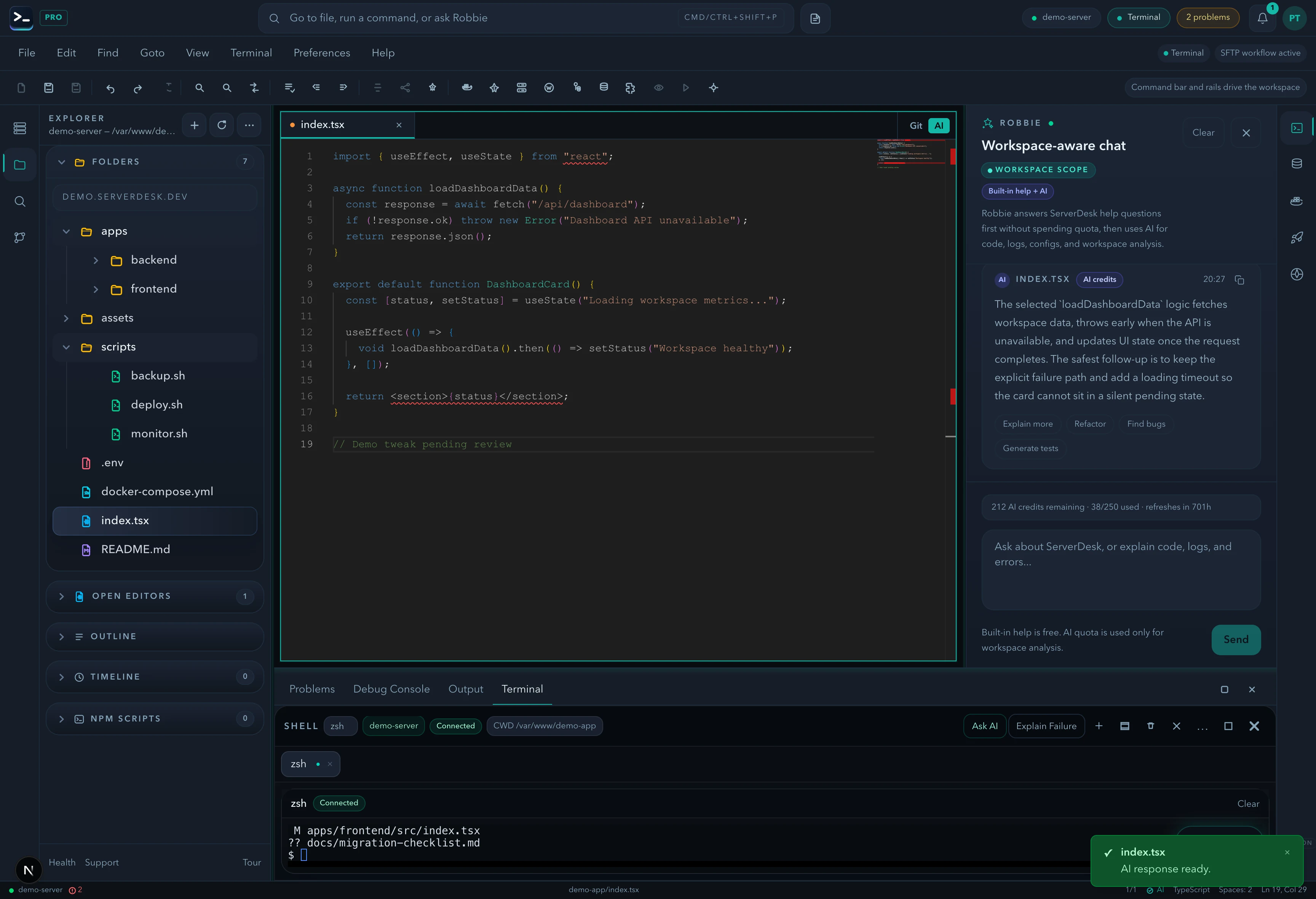
See it in action
A product-view preview that mirrors the feature workflow described on this page and gives buyers a concrete sense of the UI.
Pricing
ServerDesk pricing is designed around the workflow teams actually buy: how many servers they need to manage, how many people are involved, and when Robbie analysis, monthly AI credits, and safer review workflows become valuable.
Free
A practical starting point for a single remote server workspace. No credit card required.
1 server connection
$9/month
For freelancers and maintainers handling a few active server environments.
3 server connections
$19/month
For developers and operators who need deeper AI-assisted server work, deployments, and source control.
10 server connections
$39/month
For power users managing more environments with a higher monthly AI allowance and priority support.
Unlimited server connections
$79/month
For agencies managing many client environments with higher monthly AI usage and account oversight.
Unlimited server connections
Explore the rest of the ServerDesk workspace.