Free
Free
A practical starting point for a single remote server workspace. No credit card required.
1 server connection
- File explorer and editor tabs
- Browser terminal access
- Robbie built-in help included

Notifications
The Notifications Centre records every workspace event — terminal sessions, Git commits, AI actions, file changes, Docker state changes, deployment runs, and connection events — with timestamps so you can reconstruct what happened and when.
Capabilities
Every workspace action is logged with a timestamp — review what you did, in what order, and when.
Commits, pushes, pulls, and branch switches appear in the feed so the whole session is auditable.
Every AI query and response is logged so you can reference earlier explanations without scrolling back through chat.
Container starts, stops, restarts, and crashes surface in the notifications feed automatically.
Deployment start, completion, and failure events are recorded with links back to the full run output.
Important events show as brief toasts while being permanently recorded in the feed for later review.
Concrete workflow
Step 1
Review a session log after a production incident to understand what changed and when
Step 2
Check when a container restarted without having to dig through terminal history
Step 3
Find an earlier AI explanation by scanning the notification log
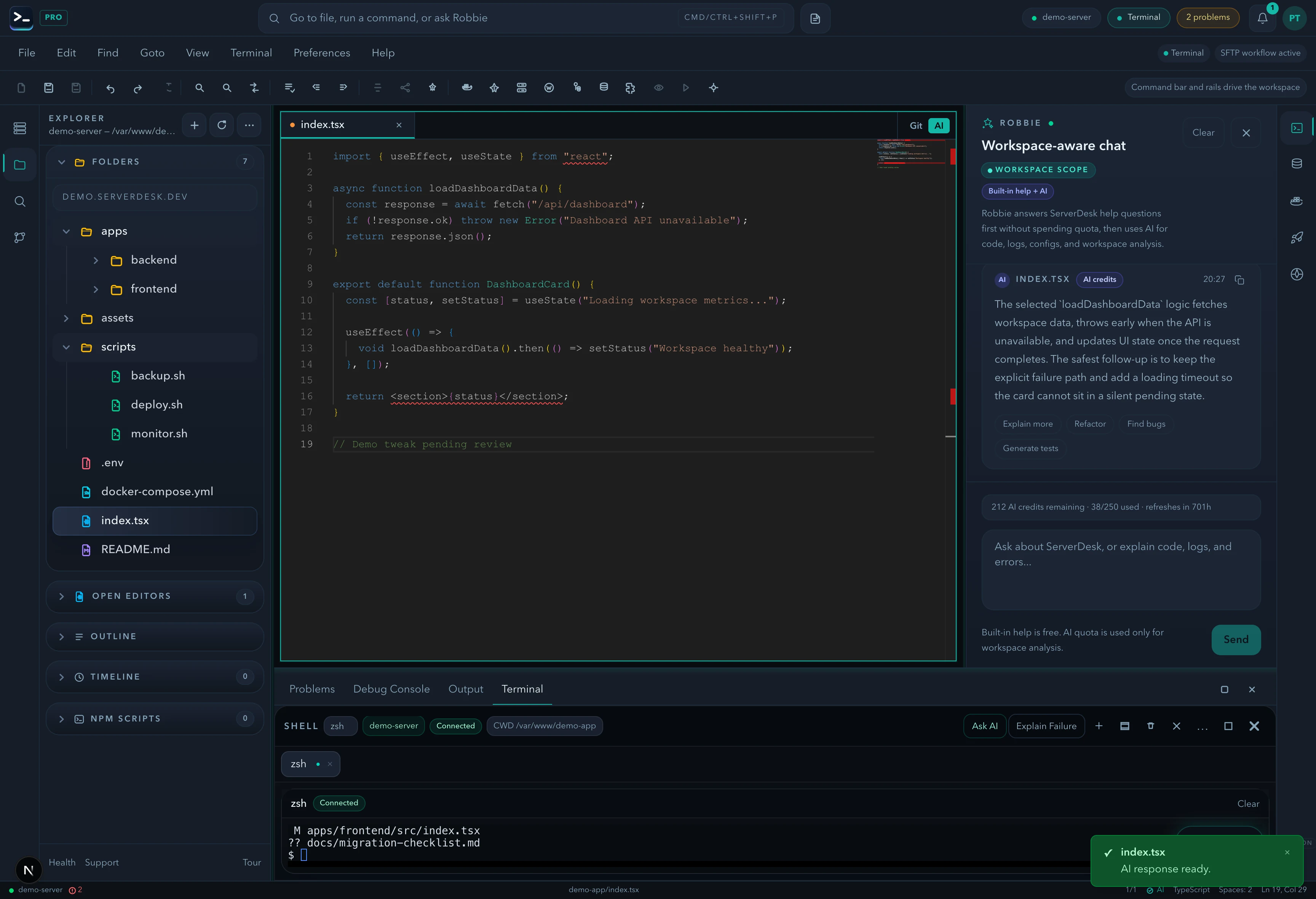
See it in action
A product-view preview that mirrors the feature workflow described on this page and gives buyers a concrete sense of the UI.
Pricing
ServerDesk pricing is designed around the workflow teams actually buy: how many servers they need to manage, how many people are involved, and when Robbie analysis, monthly AI credits, and safer review workflows become valuable.
Free
A practical starting point for a single remote server workspace. No credit card required.
1 server connection
$9/month
For freelancers and maintainers handling a few active server environments.
3 server connections
$19/month
For developers and operators who need deeper AI-assisted server work, deployments, and source control.
10 server connections
$39/month
For power users managing more environments with a higher monthly AI allowance and priority support.
Unlimited server connections
$79/month
For agencies managing many client environments with higher monthly AI usage and account oversight.
Unlimited server connections
Explore the rest of the ServerDesk workspace.