Free
Free
A practical starting point for a single remote server workspace. No credit card required.
1 server connection
- File explorer and editor tabs
- Browser terminal access
- Robbie built-in help included

Source Control
The ServerDesk source control panel gives you a complete Git workflow — stage, commit, push, pull, diff, and branch — without switching tabs or opening a separate terminal.
Capabilities
Side-by-side Monaco diff viewer shows exactly what changed before you stage or commit.
Full Git workflow from a clean panel. Write commit messages, stage individual files, and push to any remote.
Create, switch, and delete branches. See the current branch and status in the workspace status bar.
Browse recent commits, view diffs, and understand what changed between releases.
Ask the AI to draft a conventional commit message based on your staged changes.
Edit files over SFTP and commit them via Git — both workflows are available in the same session.
Concrete workflow
Step 1
Stage a hotfix directly on the server and push it to GitHub without a local clone
Step 2
Review a diff before committing to make sure nothing unexpected changed
Step 3
Switch branches on a staging server to test a different version
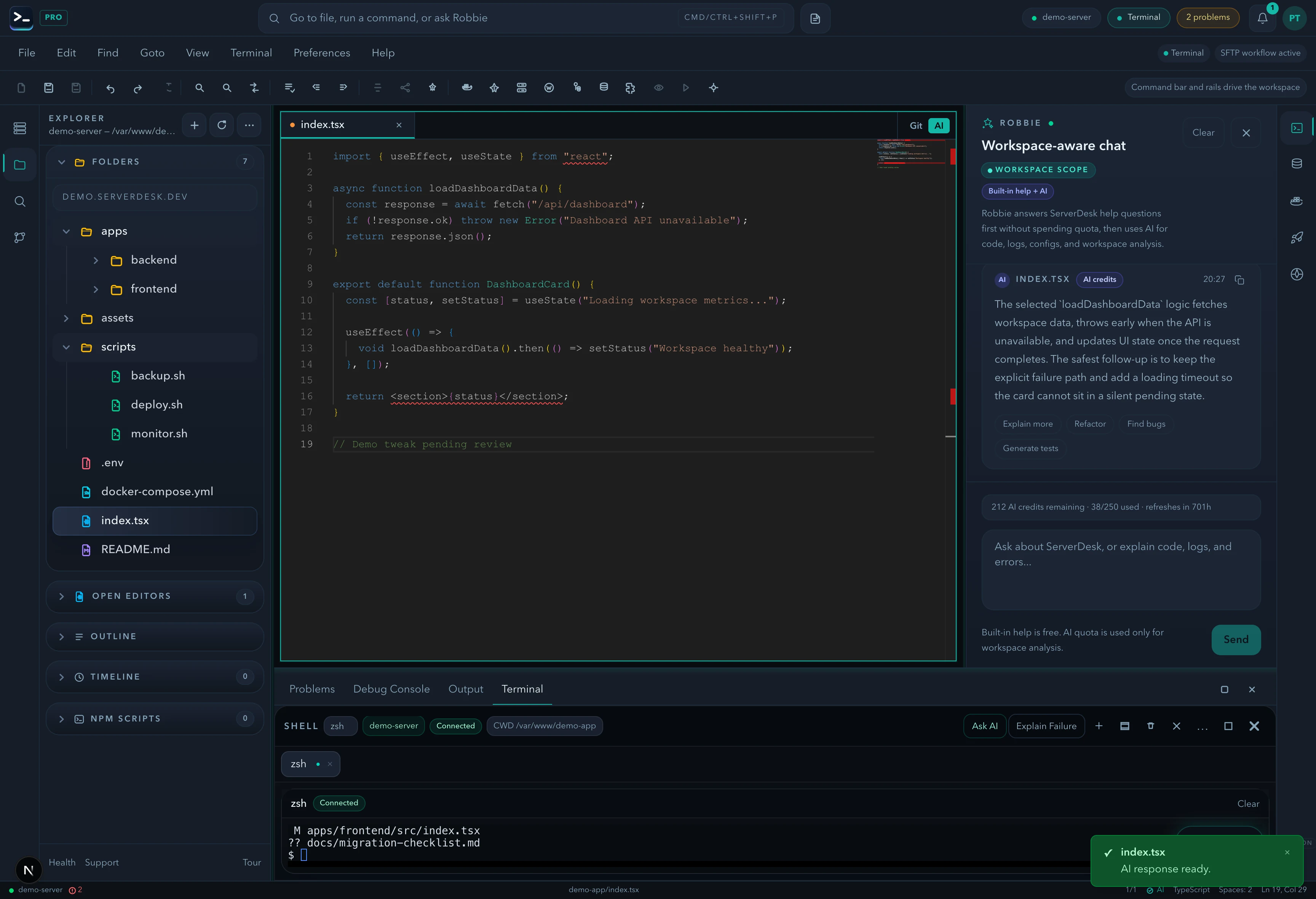
See it in action
A product-view preview that mirrors the feature workflow described on this page and gives buyers a concrete sense of the UI.
Pricing
ServerDesk pricing is designed around the workflow teams actually buy: how many servers they need to manage, how many people are involved, and when Robbie analysis, monthly AI credits, and safer review workflows become valuable.
Free
A practical starting point for a single remote server workspace. No credit card required.
1 server connection
$9/month
For freelancers and maintainers handling a few active server environments.
3 server connections
$19/month
For developers and operators who need deeper AI-assisted server work, deployments, and source control.
10 server connections
$39/month
For power users managing more environments with a higher monthly AI allowance and priority support.
Unlimited server connections
$79/month
For agencies managing many client environments with higher monthly AI usage and account oversight.
Unlimited server connections
Explore the rest of the ServerDesk workspace.